> For the complete documentation index, see [llms.txt](https://docs.ratl.ai/guide/llms.txt). Markdown versions of documentation pages are available by appending `.md` to page URLs; this page is available as [Markdown](https://docs.ratl.ai/guide/features/api-test.md).
# API Test: An Agentic API Automation Testing Solution
API Test in Agentic Mode lets you automate API validation using natural language and your OpenAPI specifications. You simply provide your API spec and describe what you want to test, and the agent analyzes the endpoints, generates comprehensive test scenarios (happy paths, negative tests, edge cases), and executes them against your live environment. It finishes with a detailed markdown report containing outcomes, full request/response logs, and actionable insights—so the result is both thorough and transparent.
### Key Benefits
#### Flexible Spec Upload
No repository connected? No problem. Upload your **OpenAPI/Swagger** spec (JSON or YAML) directly to start testing immediately—zero setup overhead.
#### Intelligent Spec Analysis
The agent deeply parses your spec to understand endpoint contracts, required fields, data types, and inter-API dependencies. This ensures every generated test is structurally valid and contextually accurate from the start.
#### E2E Flow Generation & Execution
The agent doesn't test endpoints in isolation. It intelligently chains them into realistic end-to-end journeys—automatically passing outputs like auth tokens, IDs, or session data from one step to the next.
#### Comprehensive Functional Validation
Go beyond happy paths. The agent generates positive, negative, and edge case tests for every endpoint—validating business logic, error handling, and boundary conditions across your entire API surface.
#### Data-Driven Execution
Upload a CSV with your test data and the agent generates a unique flow for every row—validating your APIs against real-world data at scale, in a single run.
#### Impact Analysis
When your spec changes, the agent compares the new version against previous test runs to surface breaking changes and flag endpoints that need re-validation—keeping your test suite in sync with your code.
#### Coverage Analysis
See exactly which endpoints are covered and which are not. The agent highlights untested paths so you can close gaps and achieve comprehensive API coverage.
#### CI/CD Integration
Trigger API tests directly from your pipeline. Poll for completion, receive structured results, and attach reports as build artifacts to gate releases with confidence.
#### Rerun with Changes
Iterate fast. Adjust a step, change a parameter, or swap test data and rerun instantly—no need to rebuild the entire test from scratch.
### Preconditions
Before running an API Test, make sure:
* **OpenAPI Specification**: You have an OpenAPI/Swagger specification of the APIs you want to test. The spec can be uploaded directly as a file or fetched from a version control system like Azure DevOps or GitHub.
* **Security**: The target API is reachable and any required authentication credentials (API keys, tokens) are securely configured in the OpenAPI specification.
### How to Run an API Test?
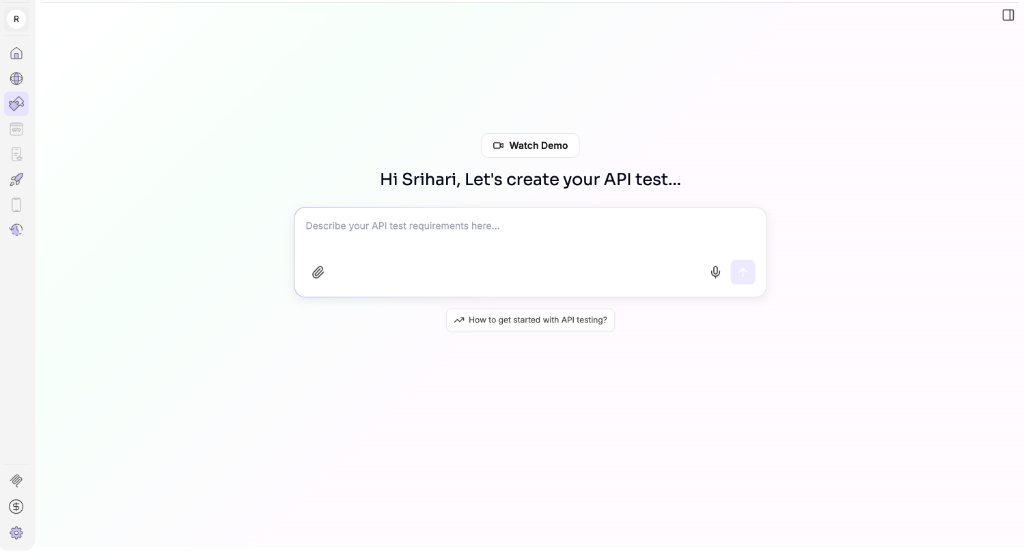
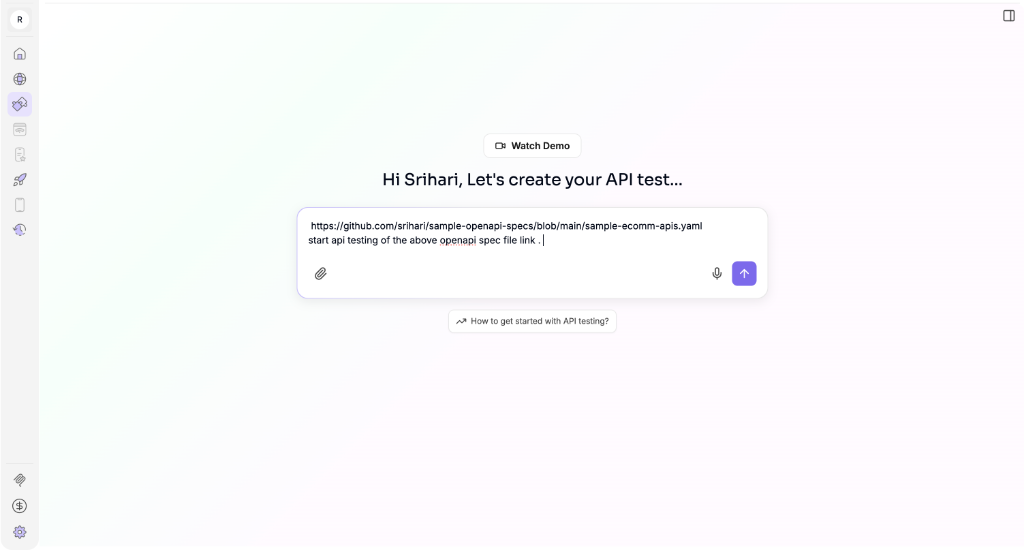
#### Step 1: Initialize with Spec & Intent
Start a new session and:
* Provide your **OpenAPI spec** (upload file or select from ADO/GitHub).
* Describe your testing goal (e.g., *"Test the user registration flow including invalid email scenarios"*).
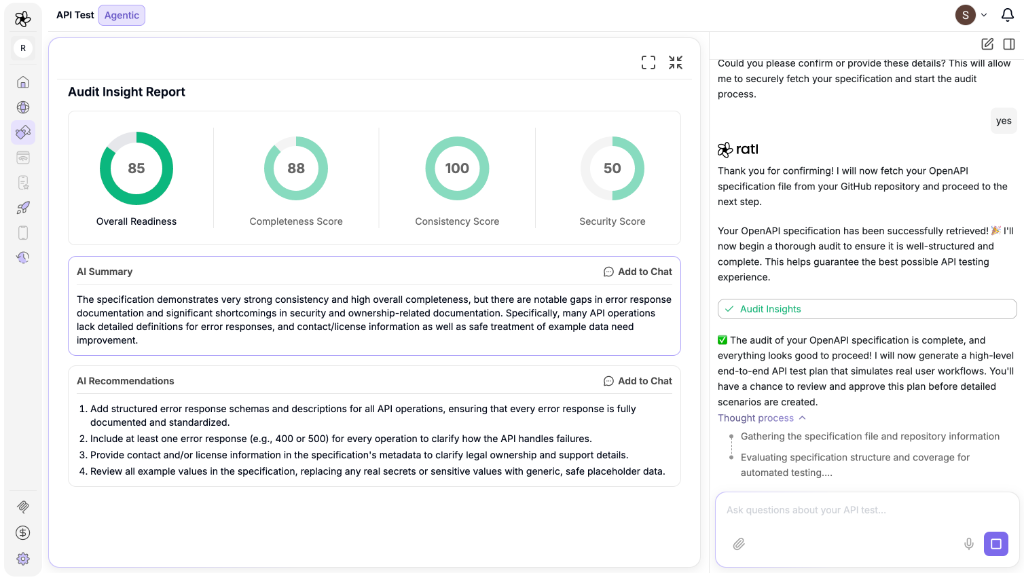
#### Audit Insights
The agent audits your spec and provides insights:
#### Step 2: Review the Generated Test Flow
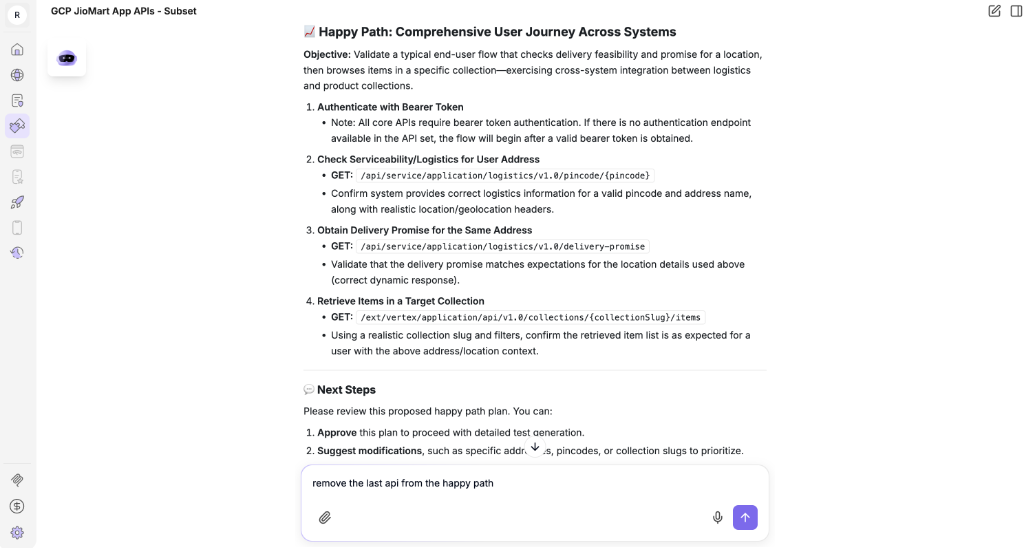
The agent analyzes your spec and intent to generate a named **end-to-end test flow**. Each flow is a happy path or scenario that chains multiple API calls in the correct order.
You can see:
* **Flow Name**: A descriptive label for the scenario (e.g., *"Happy Path: Logistics Serviceability & Delivery Promise"*).
* **Chained Endpoints**: The ordered list of API calls that make up the flow, with their HTTP methods.
You can modify the proposed flow before approving it—add, remove, or reorder steps to match your testing intent.
Once satisfied, approve the flow to proceed to execution.
After approval, the agent confirms the final **E2E test flow** that will be executed, showing all chained endpoints in order.
#### Step 3: Execution & Live Tracing
Once approved, the **Test Execution Agent**:
* Runs the test flows against your target environment.
* Captures full HTTP request and response details.
* Validates status codes, headers, and body content.
* **Interactive Feedback**: If any issues are encountered during execution, the agent pauses and requests user feedback. Based on your input, it can adjust parameters and restart the execution seamlessly.
#### Step 4: Analyze the Report
The report gives you a complete view of your API's health:
* **Executive Summary**: High-level pass/fail metrics and quality score.
* **Execution Details**: Step-by-step logs for every API call, including headers, payloads, and response times.
### Advanced Features
#### Functional Testing
Beyond simple endpoint checks, the agent generates complex functional test cases that validate business logic, data dependencies, and multi-step workflows.
#### Spec Update & Re-Execution
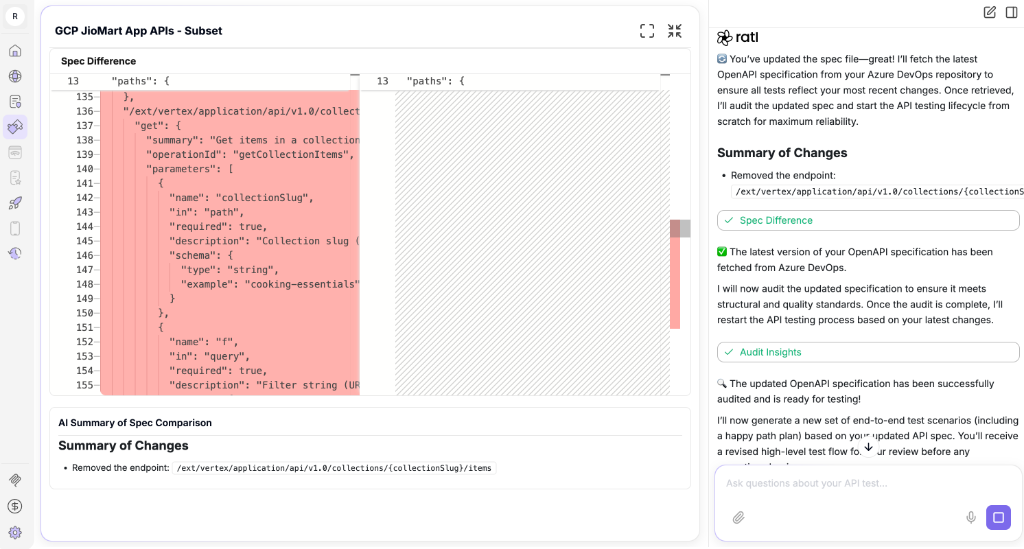
Based on the spec file update, the agent analyzes the changes, starts a fresh audit, and regenerates and executes the flow again.
#### Impact Analysis
When your API spec changes, the **Impact Analysis Agent** can compare the new version against previous tests to identify breaking changes and recommend updates to your test suite. It ensures your tests evolve in sync with your API definitions.
#### Bug Reporting
When a test fails, the agent raises a detailed bug ticket in **Jira** or **Azure DevOps**. The ticket includes:
* **Title**: A clear, descriptive summary of the issue.
* **Reproduction Steps**: The exact API call sequence that triggered the failure.
* **Evidence**: Full request/response payloads, status codes, and error messages.
* **Severity**: Automatically assessed based on the nature of the failure.
This closes the loop between testing and development—no manual copy-pasting required.
#### Test Data Management
Manage your test data directly within the agent. Upload CSV files with multiple data sets and the agent will:
* Generate unique test flows for each row of data.
* Validate your APIs against real-world data scenarios in bulk.
* Track which data sets passed or failed, giving you granular visibility into data-specific issues.
#### Coverage Analysis
Get visibility into which endpoints are tested and which are not. The report highlights untested paths, helping you close coverage gaps and ensure comprehensive validation.
### Conclusion
API Test in ratl.ai turns natural-language intent and OpenAPI specifications into a rigorous, automated testing suite. It eliminates the need for hand-written test scripts by generating executable E2E flows, functional test cases, and edge case scenarios—all from your spec. With live execution feedback, structured reporting, and seamless integration with your bug tracking and CI/CD tools, it makes API quality assurance faster to set up, easier to maintain, and simpler to scale.